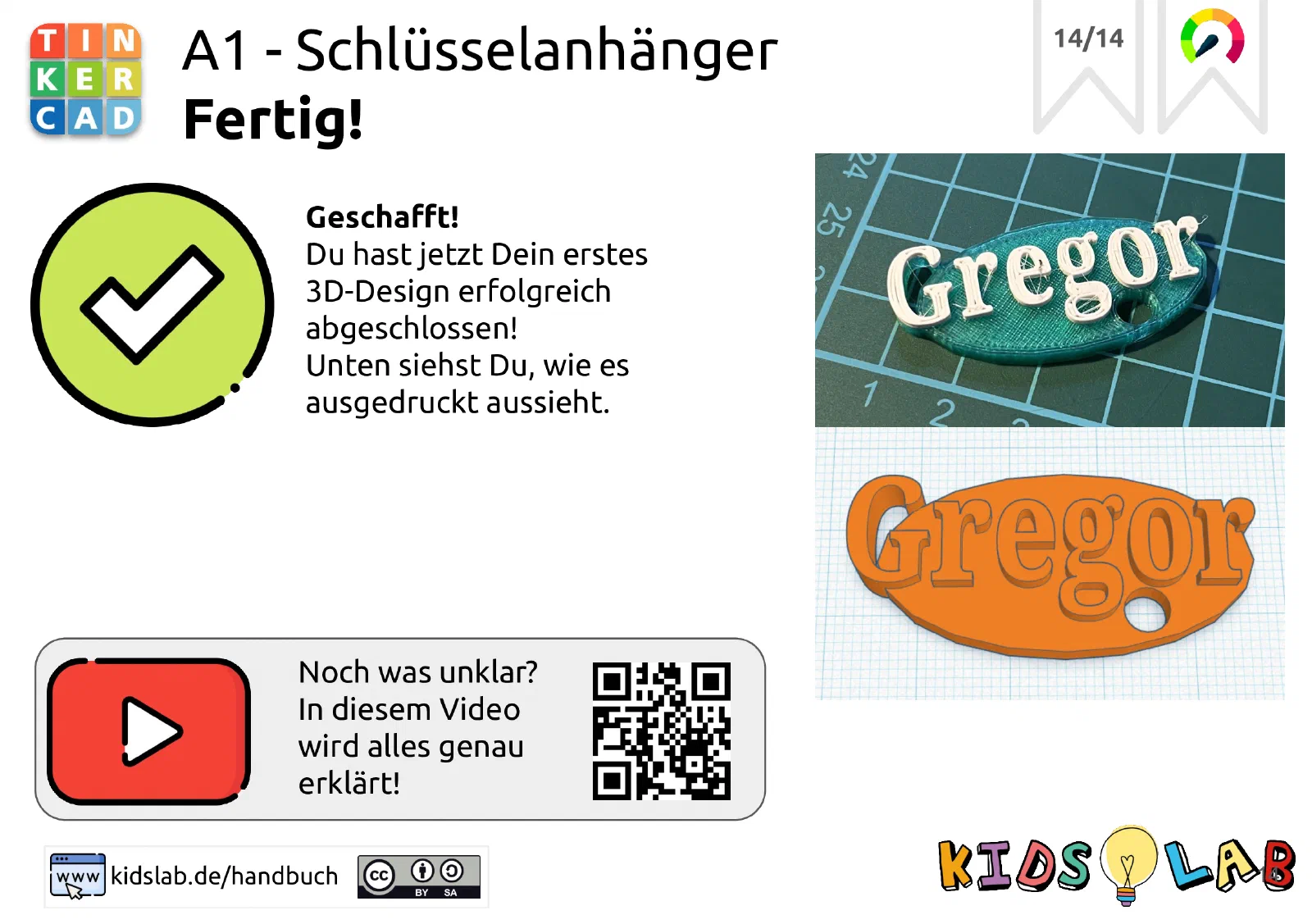
TinkerCAD Introduction: 3D Nameplate
Design your personal 3D nameplate with TinkerCAD! Learn the basics of digital design and create a unique plate with your name. Perfect for beginners in 3D printing.
Step 1:
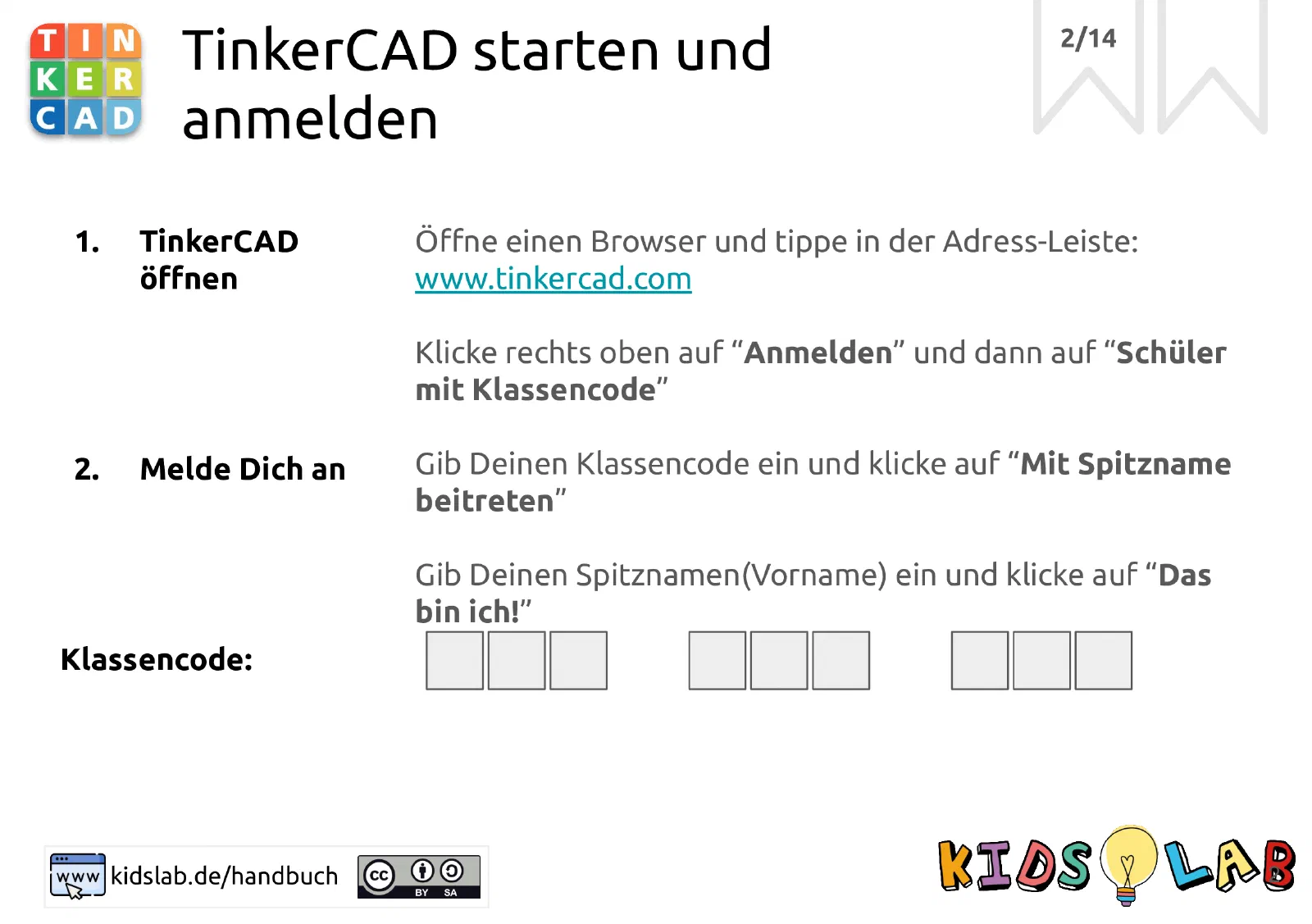
step: Open TinkerCAD and sign in image:
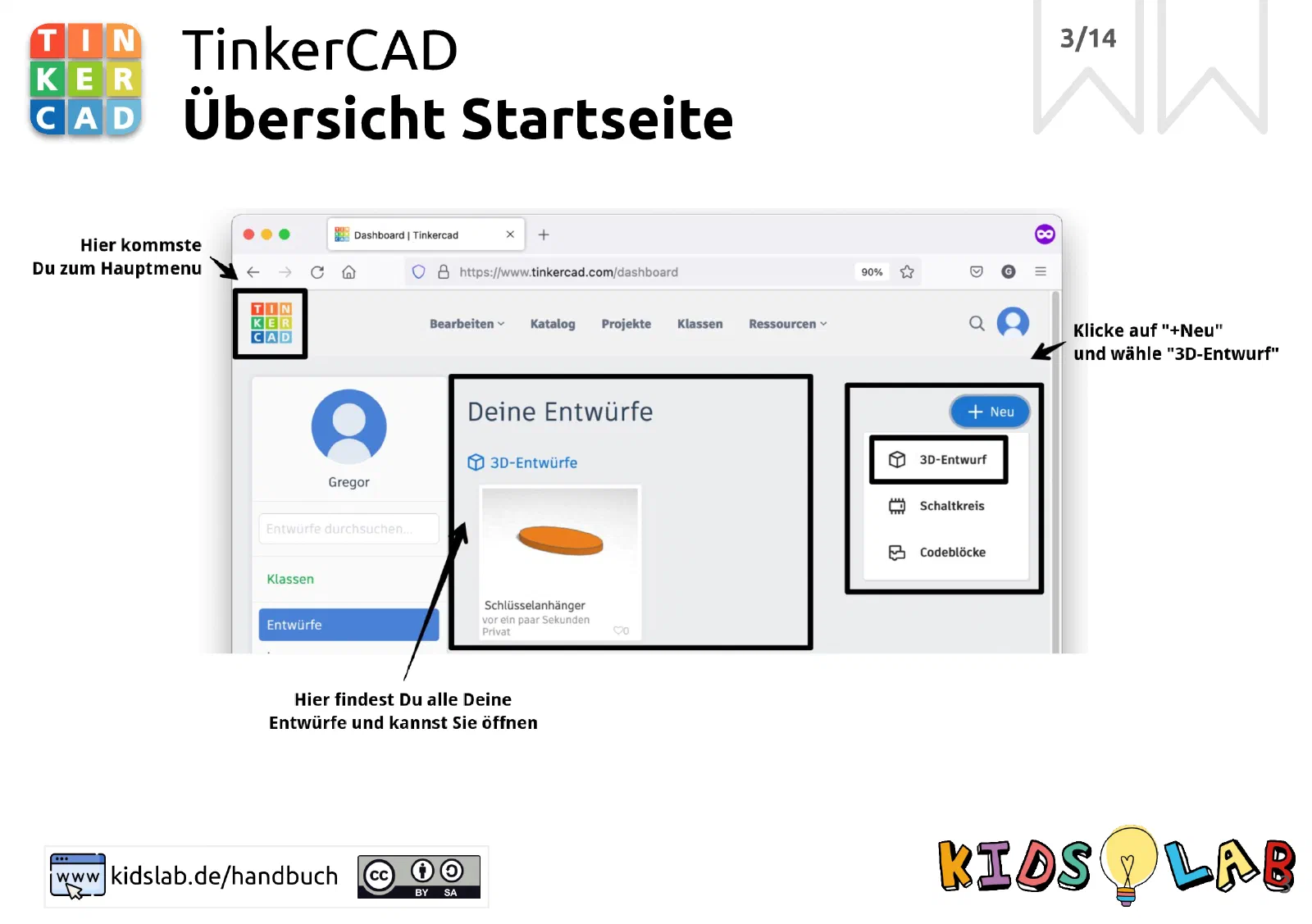
step: Take a look at the homepage image:
step: These are the workspaces image:
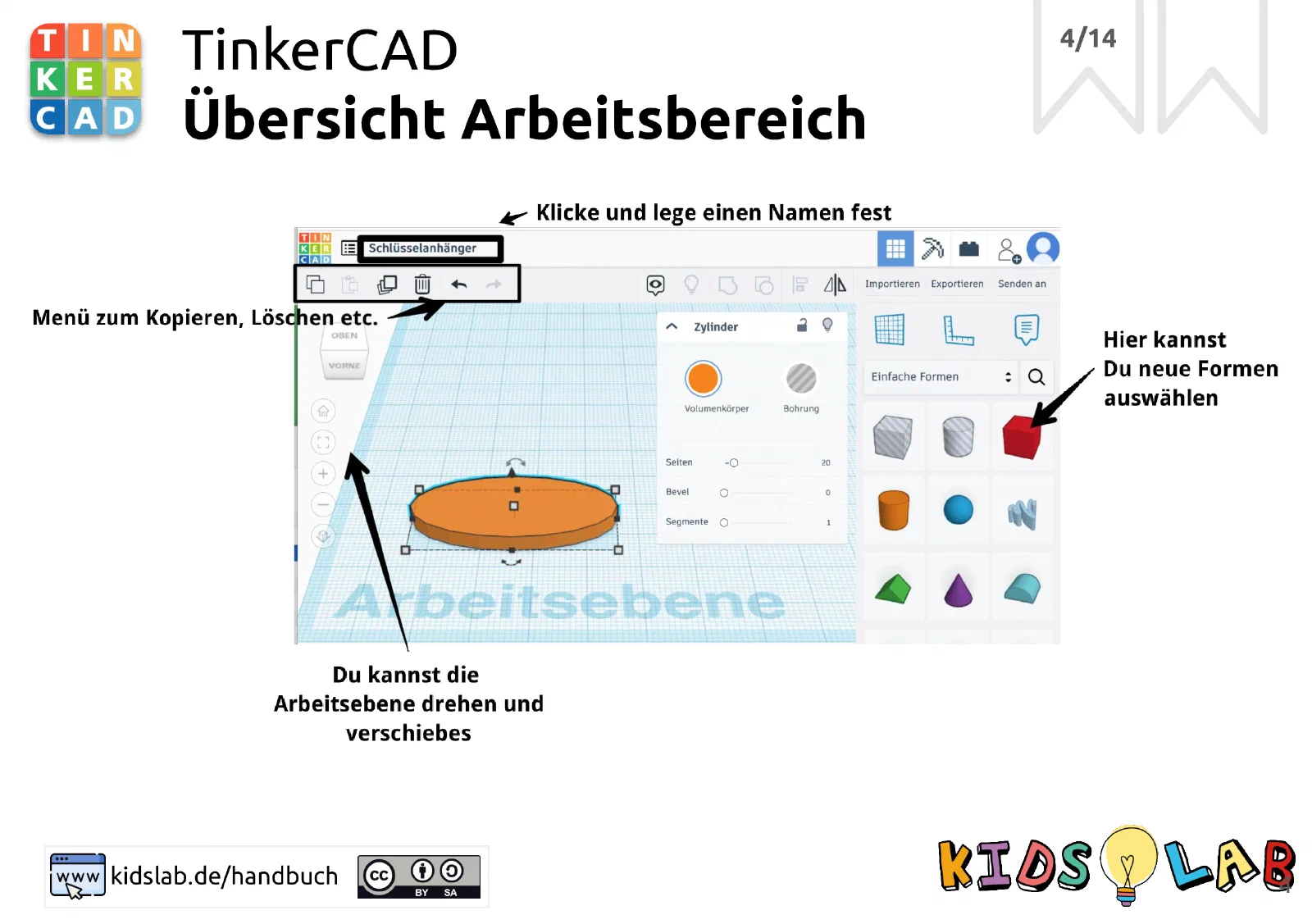
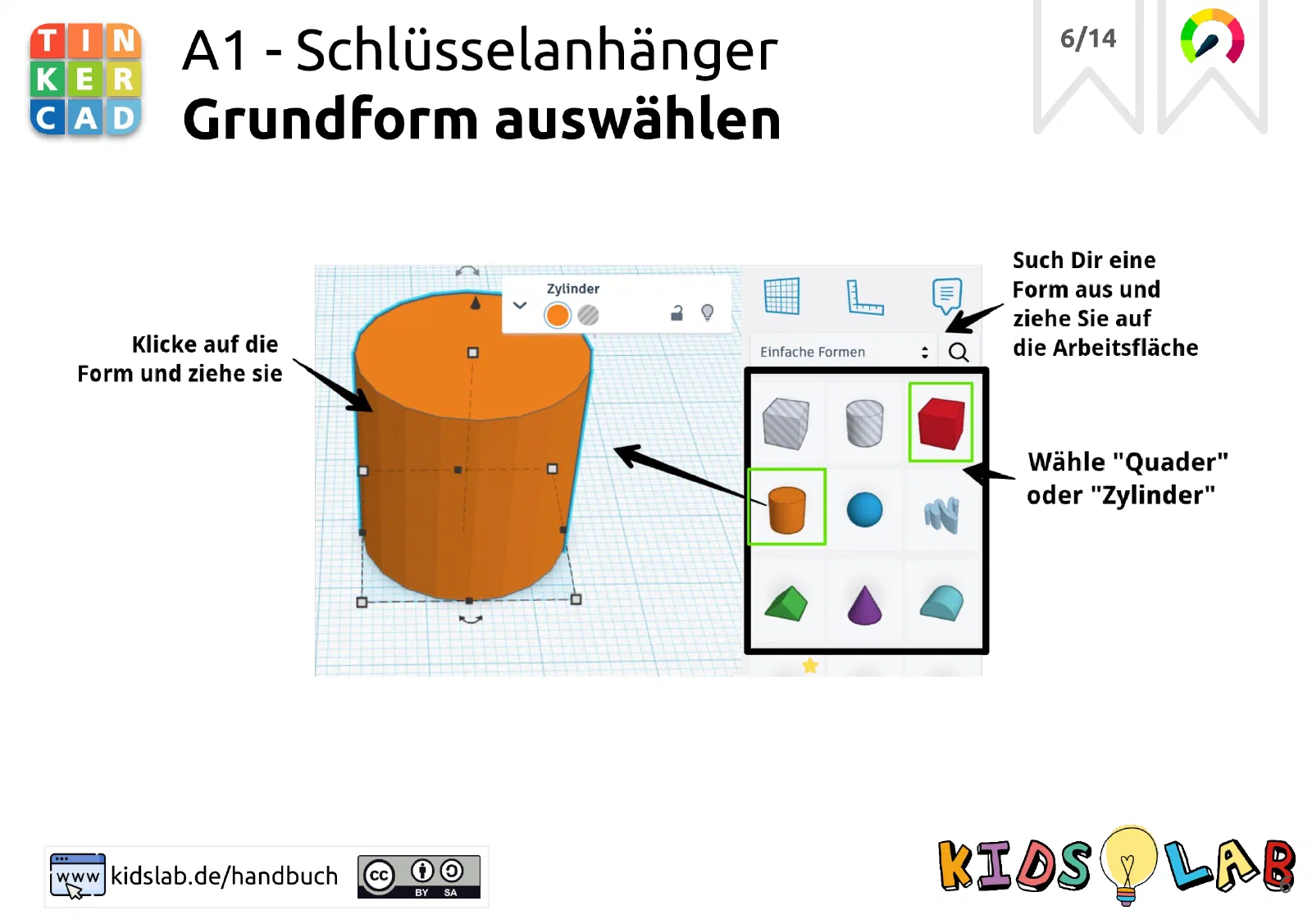
step: > Choose a basic shape and drag it onto the workspace image:
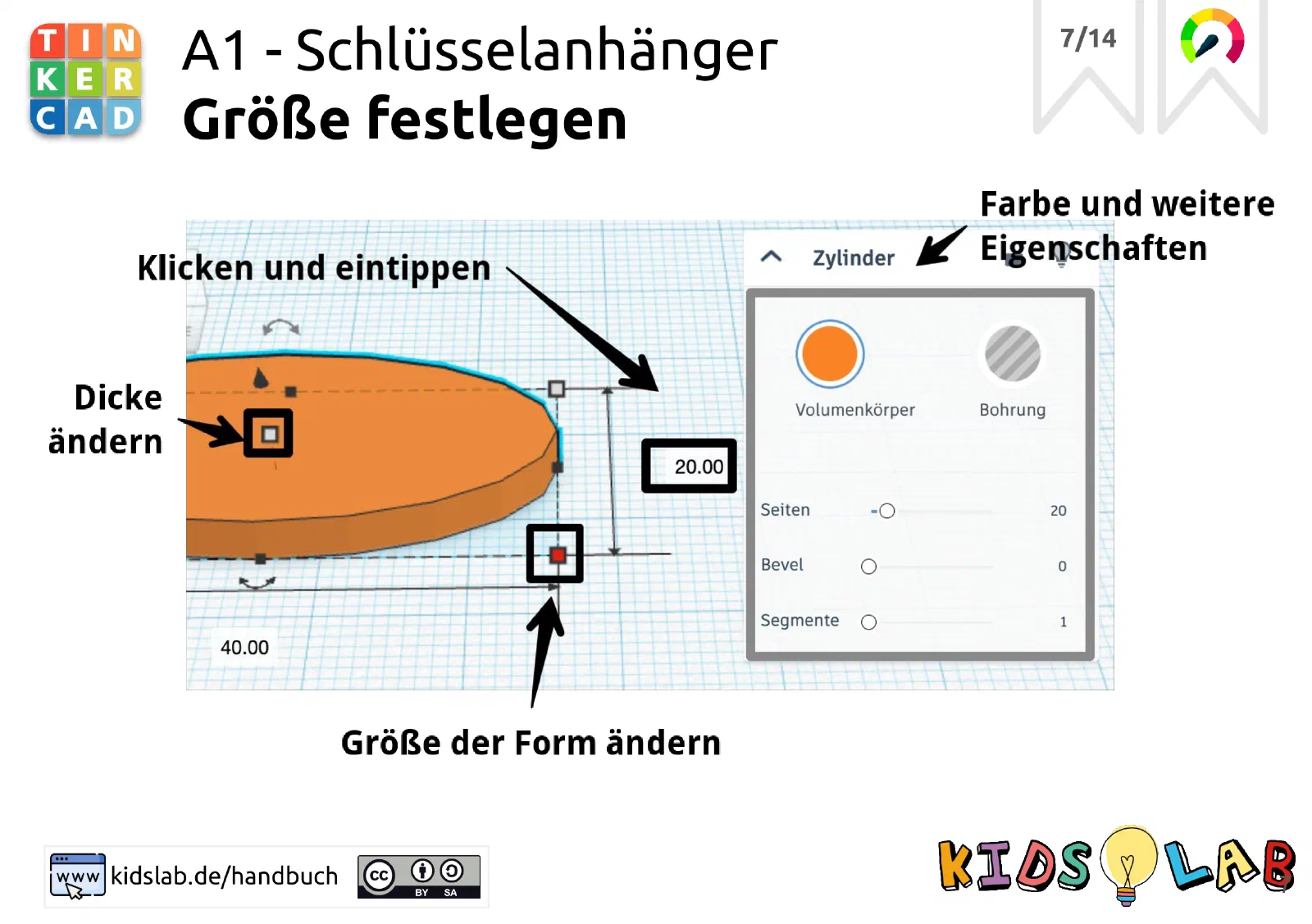
step: Set the size image:
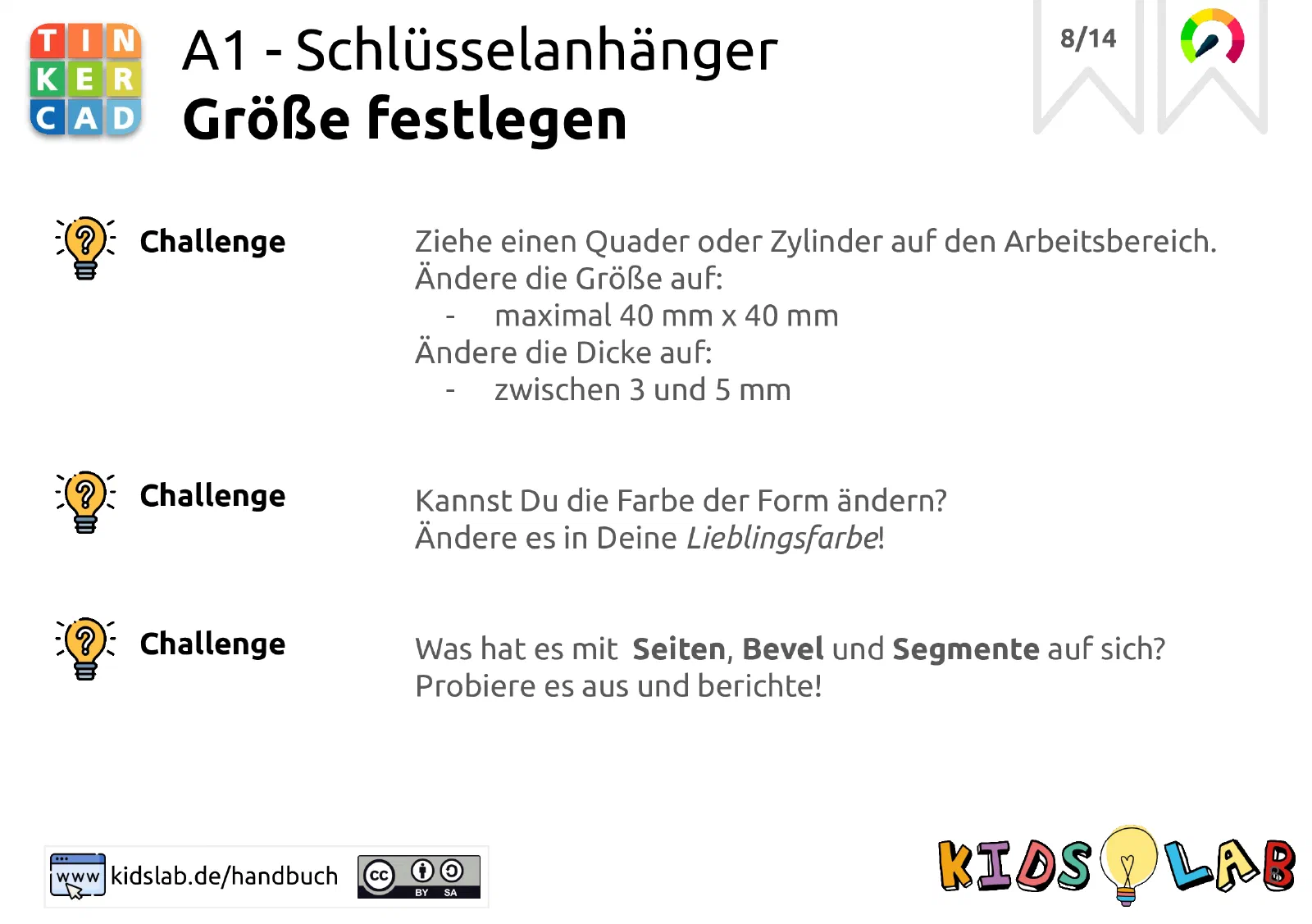
step: ‘Challenge: change the colour and more!’ image:
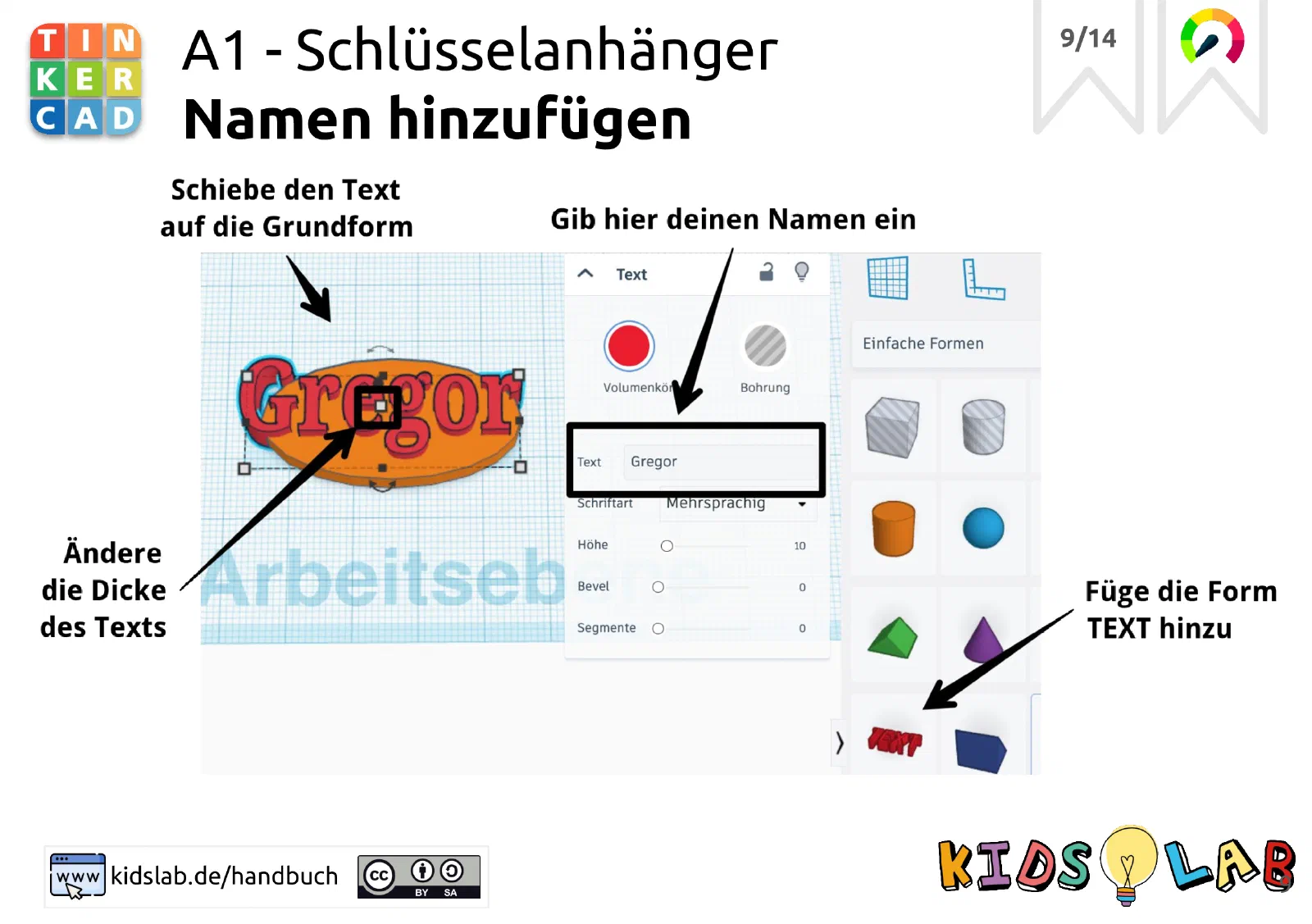
step: Add your name image:
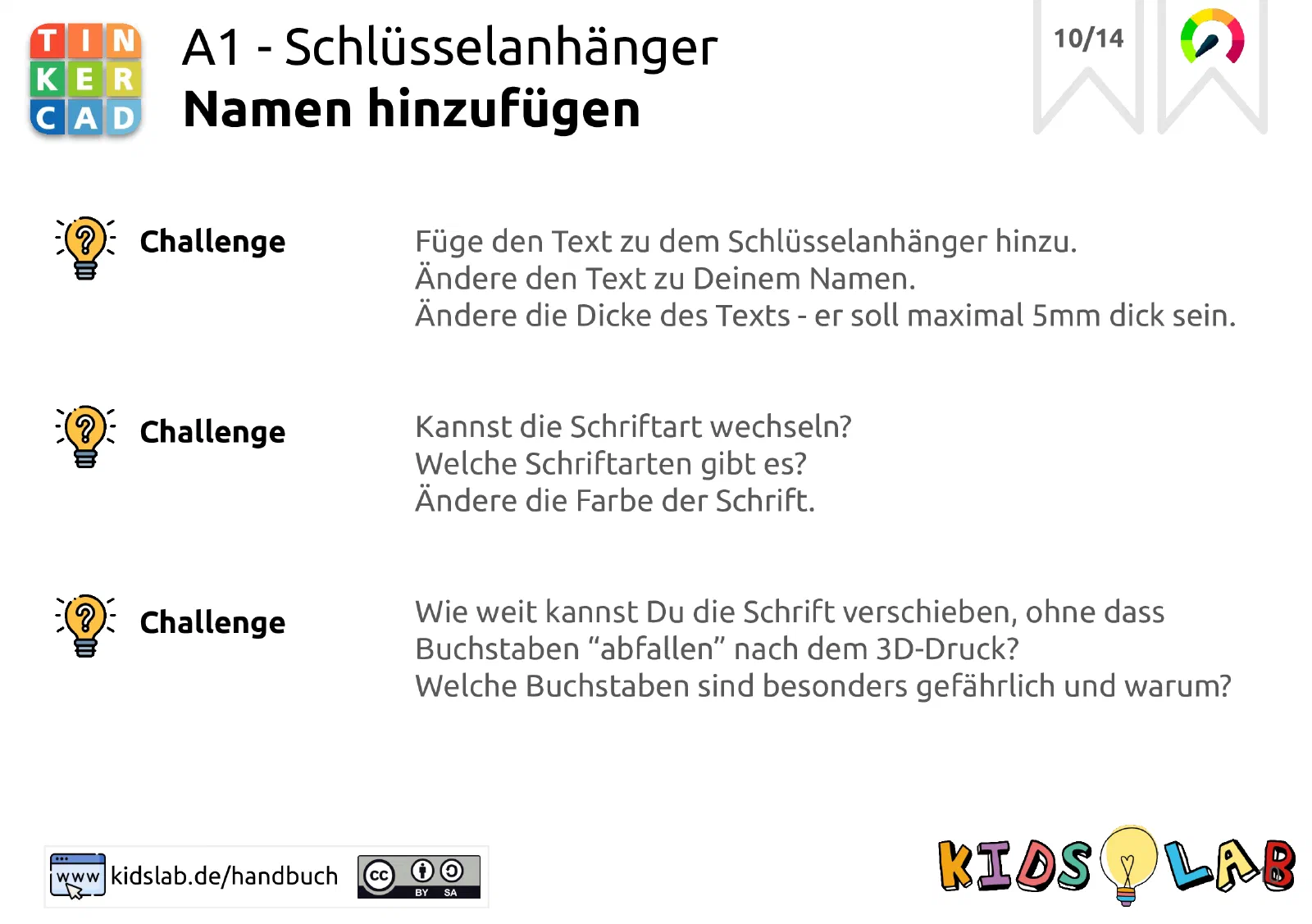
step: ‘Challenge: adjust the font!’ image:
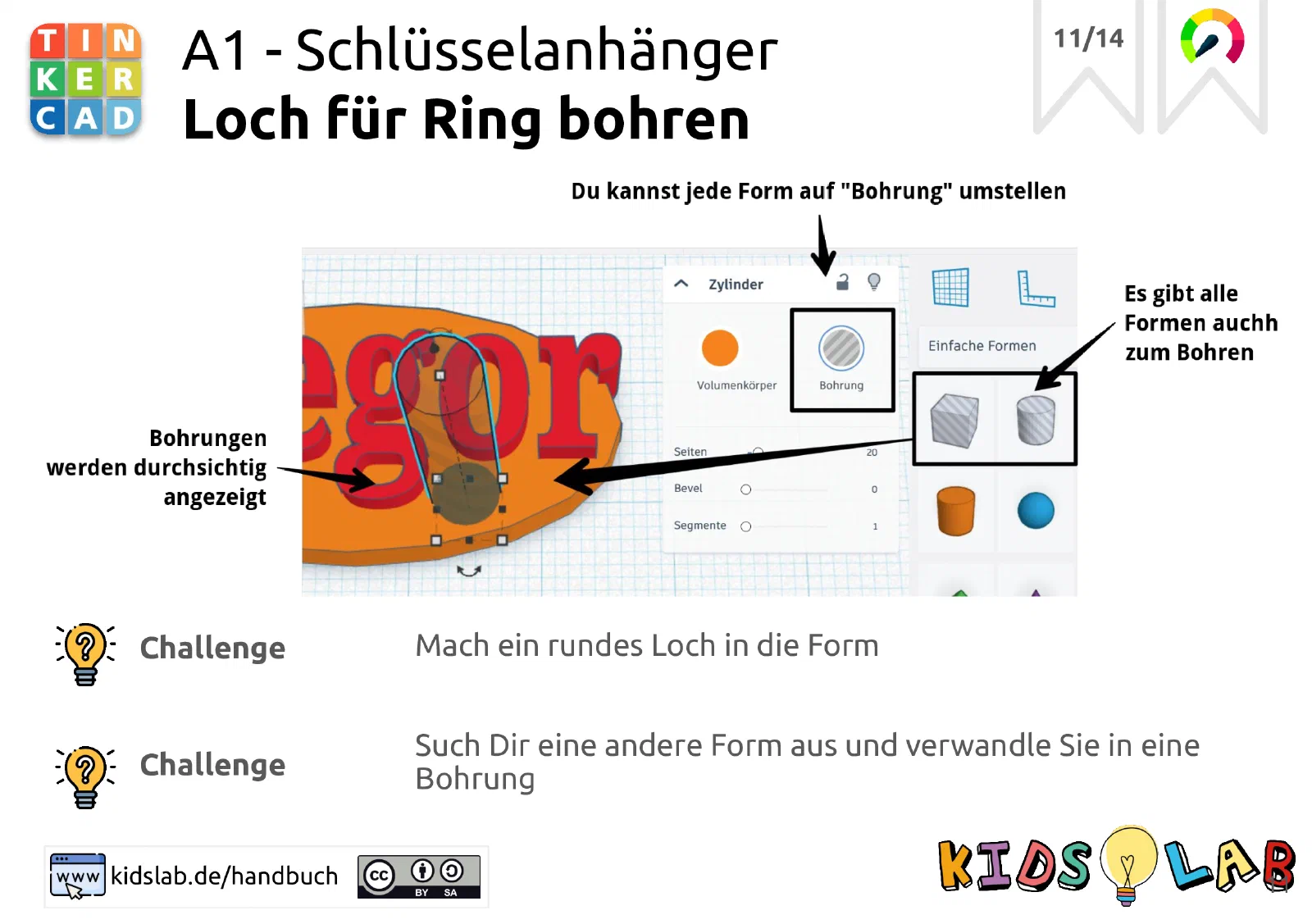
step: Drill a hole image:
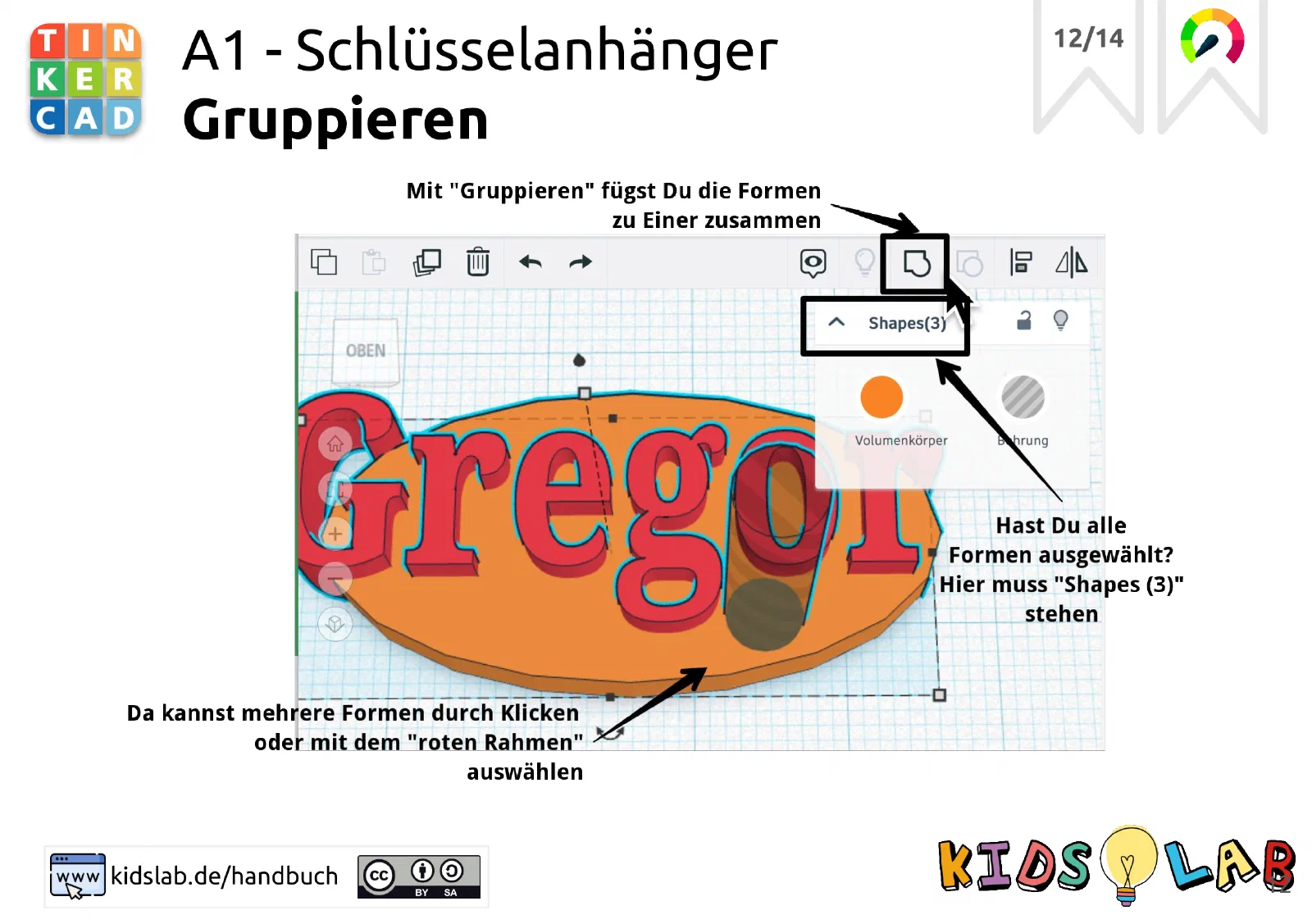
step: Group everything image:
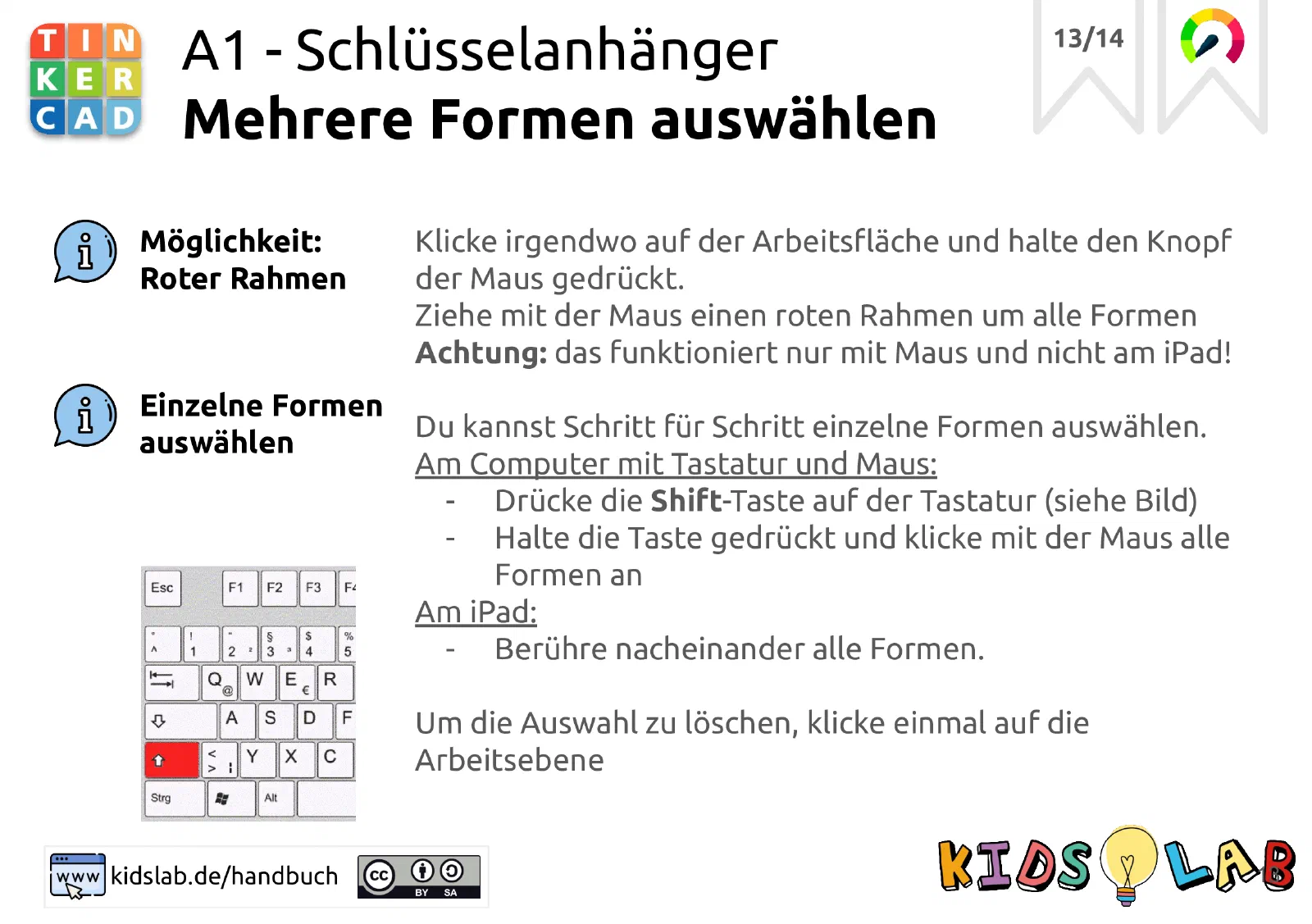
step: Select correctly image:
step: ‘Done! Your nameplate is ready - print it out!’ image: