Visit the Future Museum in Minecraft
Visit the Future Museum in Minecraft
Explore the Future Museum in a special Minecraft world! Discover interactive exhibits about technology and innovation. A digital museum trip that’s fun and educational at the same time.
Step 1:
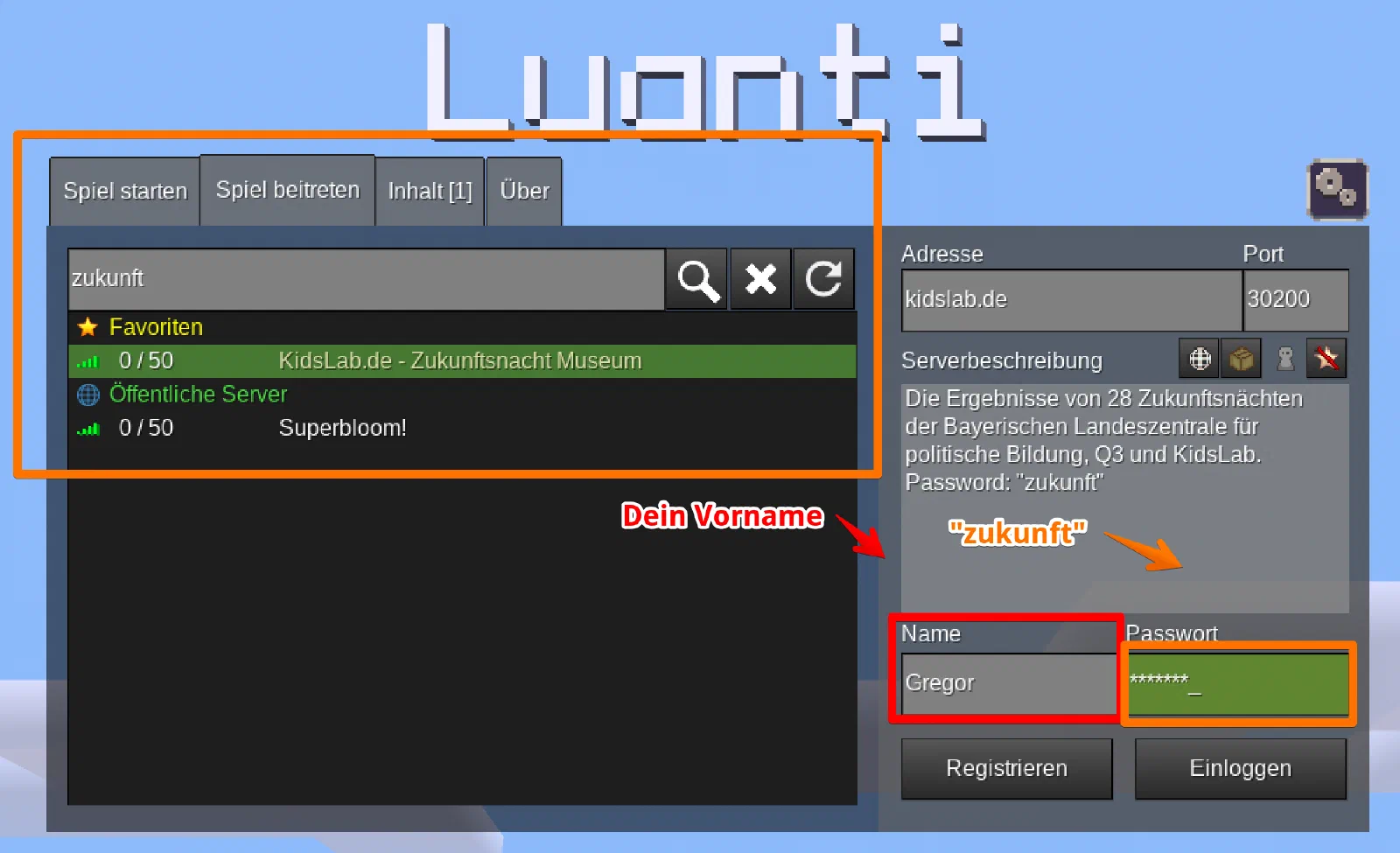
step: Open Minetest- step: ‘Click on Join server’- step: ‘Search for zukunft’- step: ‘Enter your name and the password zukunft’ image:
step: ‘Click on log in’- step: Have fun at the museum! image:
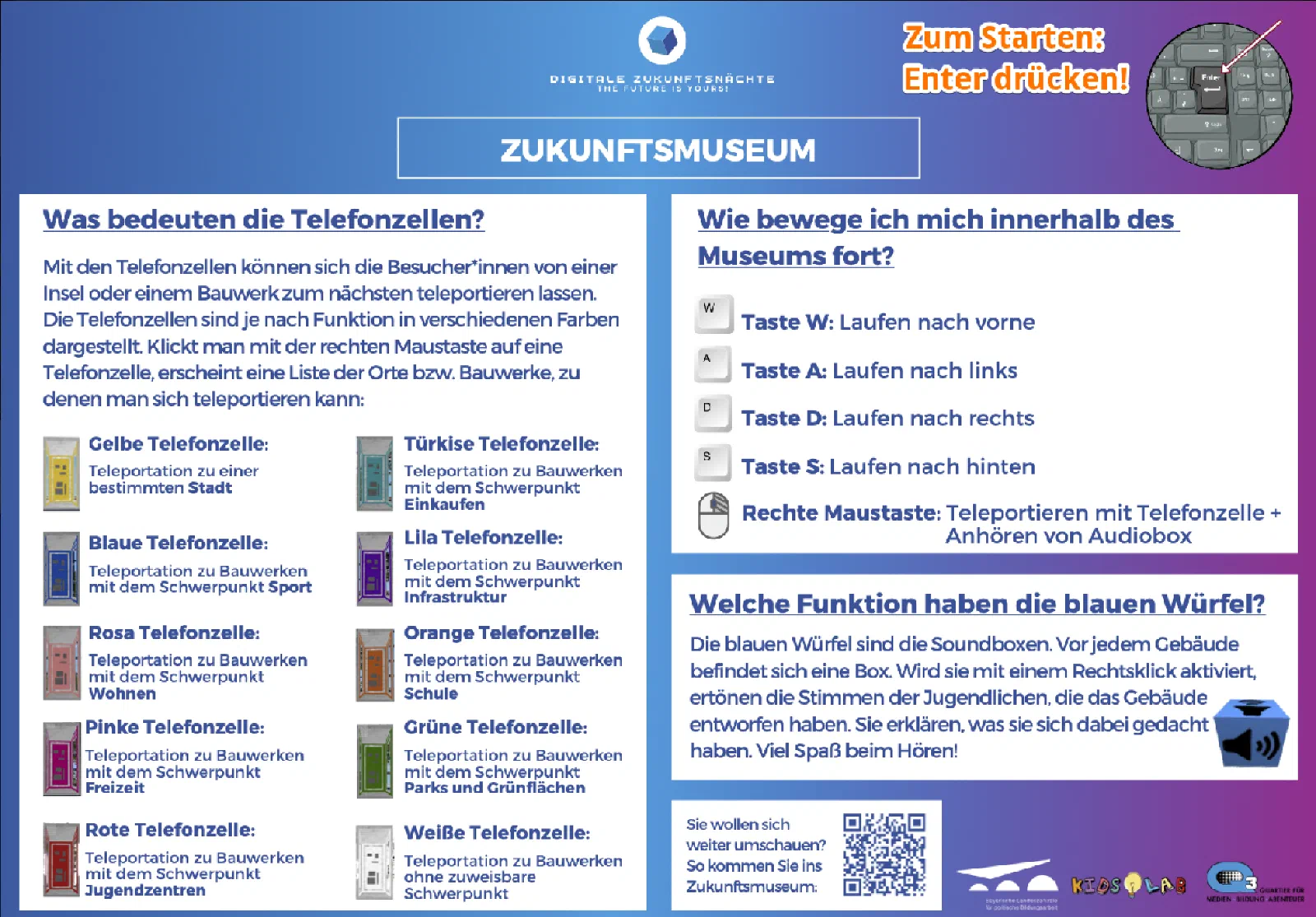
Visitor info
The museum is open 24 hours a day and can easily be visited virtually with Minetest. All you need is a computer or tablet and an internet connection! Installing Minetest
Minetest is free to use — here’s a guide on how to download and install it:
Entering the museum server
- Start Minetest
- Click on “Join Game”
- Search for “zukunft”
- Select the server “Zukunftsnacht Museum”
- Enter your name under “Name”
- No spaces, no special characters
- Enter the password “zukunft”
- Click on “Log in”
And you’re online 🙂